Narrative design
Direct your character with a no-code visual graph — goals, decisions and branches.
Most conversational characters are open-ended chatbots: they will talk about anything, forever, with no sense of where the conversation should go. That is fine for a toy, but it is the wrong tool when you have a job to be done — greet a visitor, qualify a lead, walk someone through onboarding, or hand out a quest and make sure it gets picked up.
IAMX Narrative design flips the model. Instead of hoping the AI stumbles toward your outcome, you draw the story as a visual graph of goals, decisions and branches. The character still speaks naturally — it improvises every sentence in its own voice — but it always knows what it is trying to accomplish, and it moves the conversation toward that outcome on purpose. You own the mission; the AI owns the wording.
if statements, no dialogue trees to hand-author. You describe intent in plain language and the character reads the conversation to decide when to advance.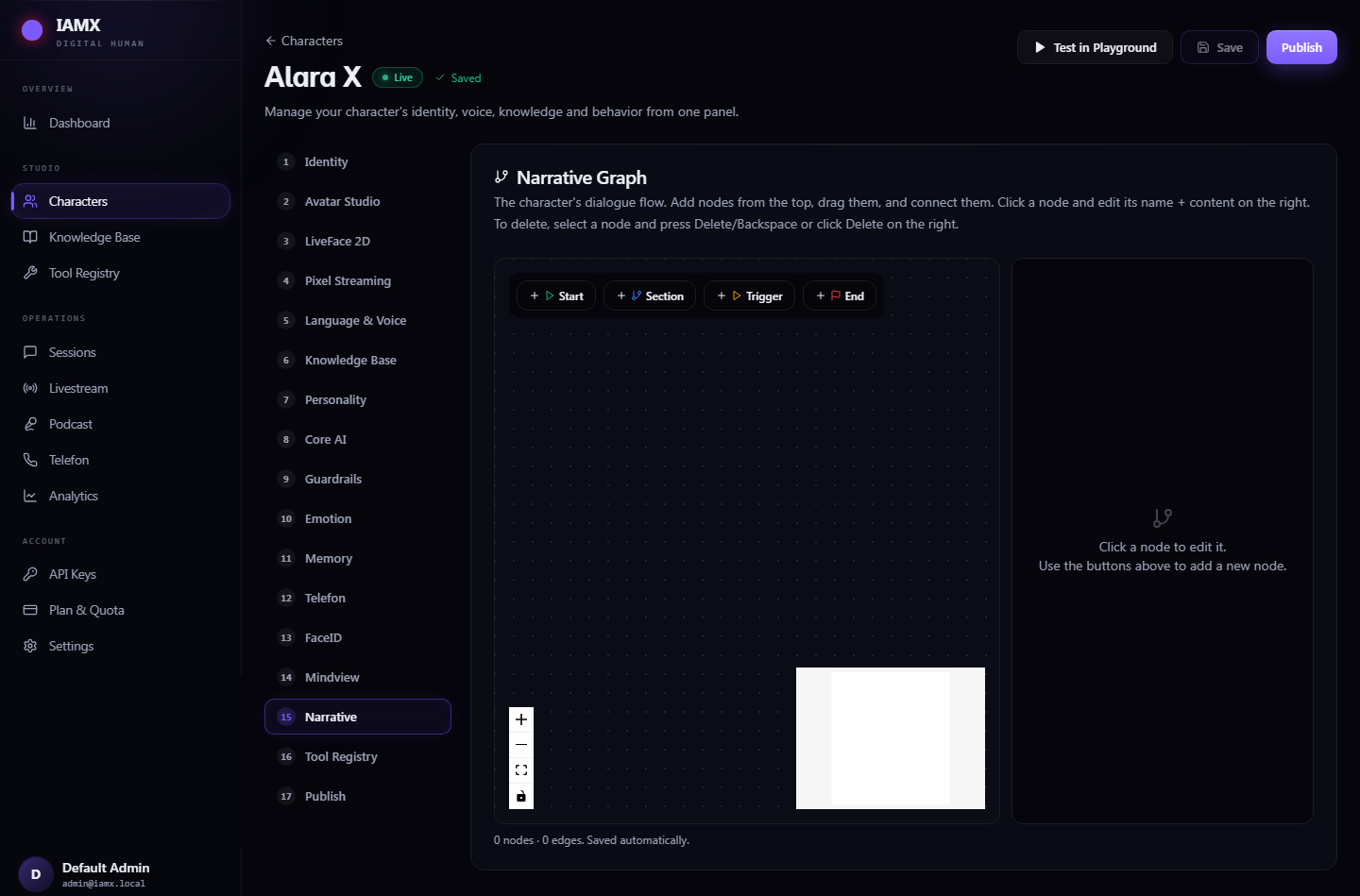
How it works
A narrative is a chain of sections. Each section carries one clear goal written in plain language, and the character stays inside that section — pursuing that goal — until the conversation gives it a reason to move on. A minimal flow looks like this:
  [ Start ]
      │
      ▼
  ┌─────────────────────┐   goal: "Greet the visitor warmly,
  │  Section: Welcome   │          find out their name."
  └─────────┬───────────┘
            ▼
  ┌─────────────────────┐   goal: "Understand what the visitor
  │  Section: Discover  │          actually needs."
  └─────────┬───────────┘
            │
      ┌─────┴───────── decision: reads intent from the chat ──────┐
      ▼                                                            ▼
  ┌─────────────────────┐                             ┌─────────────────────┐
  │  Section: Book Demo │  branch: "wants a demo"      │  Section: Hand Off  │  branch: "not a fit"
  └─────────┬───────────┘                             └─────────┬───────────┘
            ▼   trigger: book_demo                              ▼   trigger: notify_staff
[ End ] [ End ]- Chain sections, each with a goal. You lay out the journey as a sequence — for example
greet the visitor → understand their need → book a demo. Each section holds a single objective in natural language. The character focuses on that objective and does not wander off into unrelated small talk while it is active. - Add decision branches the AI evaluates from the conversation itself. A decision is not a keyword match and not a scripted menu. You write the condition in plain language — "the visitor has clearly asked for a demo", "the customer sounds frustrated", "identity has been confirmed" — and the character reads the intent of what was actually said to decide which branch is true. No regex, no button clicks, no rigid phrasing required from the user.
- Fire triggers into your game or website. The moment a branch is reached, its trigger fires as a named event. Wire it to On NPC Event / On Action Triggered in Blueprint and do anything: open a booking form, unlock a door, spawn a quest marker, advance a tutorial step, call a webhook, or play a cutscene. The narrative graph becomes the brain that decides when; your Blueprint decides what happens.
The node palette
| Node | What it does |
|---|---|
| Start | Entry point of the narrative. Exactly one per graph — the conversation begins here. |
| Section | Carries one plain-language goal. The character pursues it until a decision moves the flow forward. |
| Decision | A branch point. Holds one or more conditions the AI evaluates from conversation intent, routing to the matching next section. |
| Trigger | Emits a named event to your game/website the instant the branch is reached. Surfaces on On NPC Event / On Action Triggered. |
| End | Marks the mission complete for this path. You can chain into a fresh narrative or hand back to open conversation. |
Author it in five steps
- Create a Narrative asset — add a new IAMX Narrative and open it in the visual graph editor.
- Lay out your sections — drop a
Sectionfor each stage of the journey and write its goal in one sentence of plain language. - Connect the path — drag from
Startthrough your sections. Insert aDecisionwherever the story should branch, and describe each branch condition in natural language. - Attach triggers — drop a
Triggeron any branch that should reach out to your app, and give it a stable event name. - Assign & play — set the narrative on your character, hit play, and wire the trigger names to
On NPC Eventin Blueprint. See /docs/blueprint-api for the event signatures.
book_demo, unlock_gate, tutorial_step_2). Renaming a trigger means re-wiring its Blueprint handler.It stays on-mission
This is the difference that matters. A raw chatbot will happily follow a visitor down any tangent and never come back. A narrative-driven IAMX character improvises the exact words to fit the moment — tone, phrasing, follow-up questions, handling objections — but never loses the thread. It stays in-character and on-goal.
If a visitor asks something off-topic mid-flow, the character answers helpfully and then steers back toward the section's goal, the same way a skilled human host would. Because decisions are evaluated from real intent rather than exact keywords, users can phrase things however they like and the flow still advances correctly.
You own the story
The sequence of sections, the branch conditions and the endings are entirely yours. The AI cannot invent a path you did not draw.
The AI owns the words
Every line is generated live and in-voice — natural, responsive and never robotic — so nothing sounds like a canned script.
You own the outcome
Triggers guarantee your app is notified the moment a mission milestone is hit, so the conversation produces real, measurable results.
Combine with tools and actions
Narrative sections and action triggers compose cleanly. A section can pursue a goal that naturally leads the character to call one of your defined tools or external APIs, and a decision can gate whether that is even allowed yet — for example, only branching into a "sensitive action" section once an earlier decision confirmed the user's identity. This lets you build flows where the mission itself enforces the right order of operations.
| Pattern | How the narrative expresses it |
|---|---|
| Gate an action behind a prerequisite | A Decision that only advances when the condition "identity confirmed" is true, guarding the section that fires the action trigger. |
| Escalate to a human | A branch on intent "the visitor is frustrated or blocked" that fires a notify_staff trigger. |
| Loop until satisfied | A section whose goal is "keep answering questions until the visitor is ready to decide", with a decision that only exits on clear readiness. |
| Multi-stage journey | Chain End → Start of a follow-up narrative to run a second mission after the first completes. |
Great for
Guided sales flows
Greet, qualify the need, handle objections and book the demo — every conversation drives toward a conversion event you can measure.
Museum & showroom tours
A knowledgeable host that walks visitors through exhibits or products in a deliberate order, adapting to their questions without losing the route.
Quest-giving NPCs
Hand out objectives, gate story progress on player choices, and fire triggers that unlock doors, spawn markers or advance the plot.
Onboarding assistants
Take a new user step-by-step through setup, confirm each stage is understood, and only advance when they are genuinely ready.
Training simulations
Role-play a customer, patient or colleague that follows a scripted scenario while responding believably to whatever the trainee says.
Next steps
- New to IAMX? Start with the Quickstart and installation guide.
- Wire your triggers to gameplay with the Blueprint API reference.
- See a live character running a narrative on the demo & control panel.
- Share flows and get help on the community forum, or read build notes on the blog.
- Grab the plugin from GitHub or the latest releases.